Vertical or Horizontal? Choosing the Right Format for Social Media Video
The shape of your video matters as much as what's in it. Get it wrong and your film plays as a small strip with black bars, or gets cropped in awkward places. Here's which shape to use where, and how to film once for every platform.
The three shapes you need to know
Vertical (9:16): Instagram Reels and Stories, TikTok, YouTube Shorts
Square or 4:5: Instagram and LinkedIn feeds, Facebook
Horizontal (16:9): your website, YouTube, presentations, screens at events
Vertical: for phones first
Most social video is watched on a phone held upright. Vertical fills the whole screen, so it grabs attention as people scroll. If a video is mainly for Reels, TikTok or Shorts, film it vertical.
Horizontal: for websites and big screens
Horizontal still wins on your website, YouTube, in a pitch deck and on screens at events. It's also the better shape for showing a room, a group of people or a wide location.
Square and 4:5: the safe middle
In the Instagram and LinkedIn feeds, square and 4:5 take up more of the screen than horizontal without needing a full vertical edit.
Film once, use everywhere
You don't need separate shoots. We frame shots so they can be cropped to vertical, square and horizontal in the edit, keeping faces and key action in the safe area. One filming day can give you a horizontal film for your website plus a set of vertical clips for social media.
How we did it for M&S
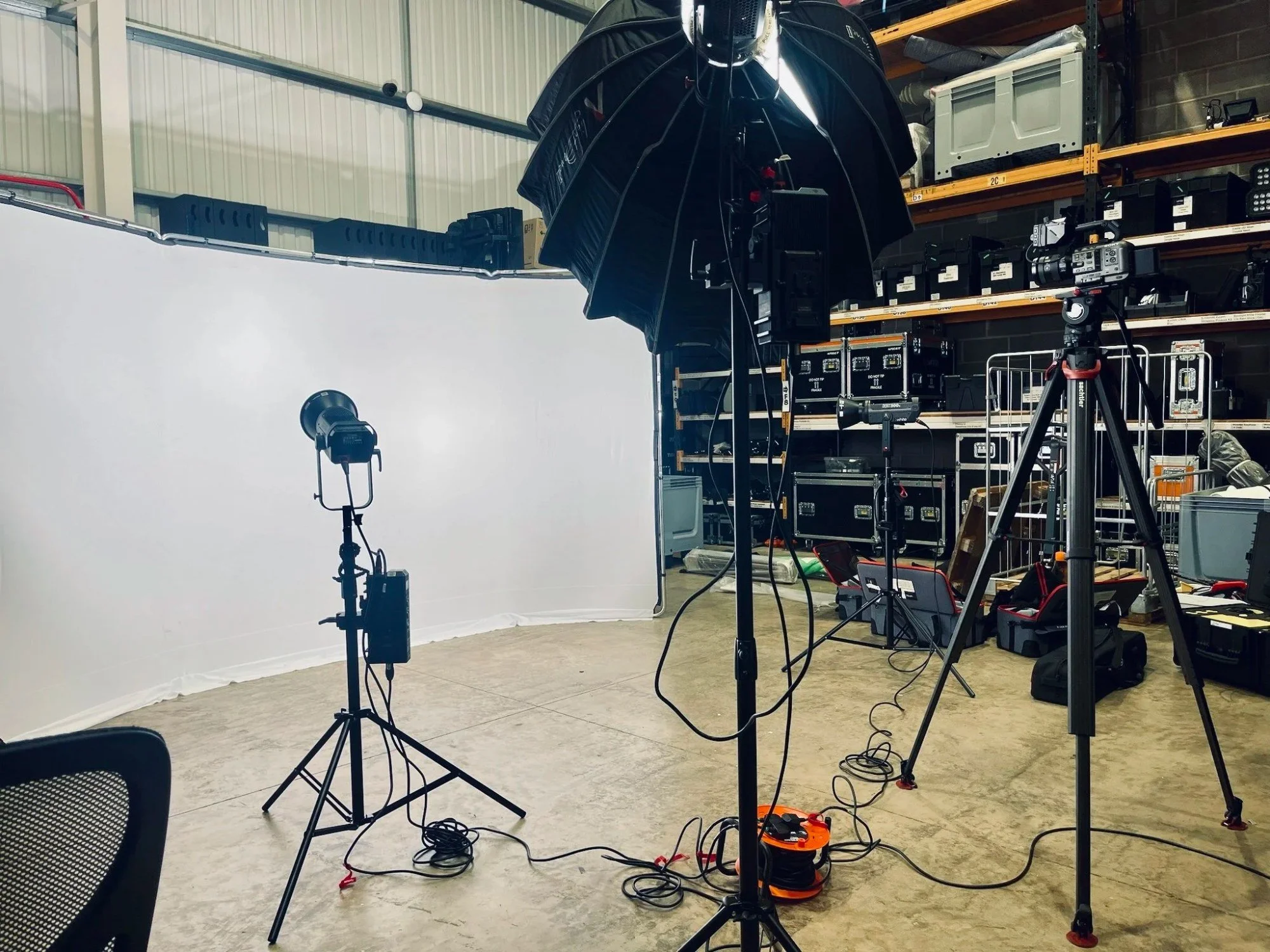
When Motherfit made a library of exercise and meditation videos for the Parenthood section of the M&S website, every video had to work in two places: widescreen (16:9) on the website and vertical (9:16) on social media. Every contributor was available for one day only, so there was no chance to film twice.
We set up a studio in Hertford and planned every shot to work in both shapes, so each video could be delivered in widescreen and vertical from the same day's filming. Read the case study.
Framing tips if you're filming on your phone
Decide the main shape first. If the video is mostly for Reels and TikTok, hold the phone upright.
Keep your subject in the middle third. That leaves room to crop to square or vertical later.
Leave space above the head. Vertical crops cut off foreheads quickly.
Avoid text and logos near the edges. They're the first thing lost in a crop.
Use the back camera, not the selfie camera, if you can. It's almost always better quality.
Which shape for which job
Homepage film or showreel: horizontal (16:9)
Instagram Reels, TikTok, YouTube Shorts: vertical (9:16)
Instagram or LinkedIn feed post: square (1:1) or 4:5
Screen at an event or in reception: horizontal (16:9)
Paid social ads: make vertical and square versions
Don't forget captions
Many people scroll with the sound off, so add captions to every social version. Keep text away from the very top and bottom of vertical videos, where each app puts its own buttons.
Frequently asked questions
Can you deliver vertical and horizontal versions of the same video?
Yes. We frame shots so they work in both shapes, then cut a version for each in the edit.
Does it cost more to get several versions?
Extra versions take extra editing time, which we price by the day at £450 plus VAT. Planning for them from the start keeps that time down. See our social media video cost guide.
Which shape is best for LinkedIn?
In the feed, square or 4:5 takes up more of the screen than horizontal. For a longer film on your company page, horizontal still works well.
Should my website video be vertical?
Usually not. Most people visit websites on laptops as well as phones, and horizontal video suits both, so it's the safer choice for a homepage film.
Want a batch of social videos?
See what we make on our social media video production page, read how much social media video content costs, or try the price calculator.